
 Close


Most businesses don’t leave their IT provider after one big disaster. They leave after months of small ones. A ticket that takes three days. A laptop that’s “fixed” twice and still crashes. A new starter who sits at a desk with no login until Wednesday.
None of it feels serious on its own. Together, it adds up to a business that has grown and an IT setup that hasn’t. If your team has said “IT is always a pain” more than once this month, this guide is for you. Below are the signs you’ve outgrown your IT provider, a quick self-check, and a safe way to switch if it’s time.
- Outgrowing your IT provider is usually a slow pattern, not one big failure.
- The biggest warning signs are repeat problems, no planning and silence on security.
- Tick three or more boxes in our self-check and it’s time to look at other options.
- Switching is low risk if you secure your own admin access and plan the handover first.
Why businesses outgrow their IT support
The IT support that suits 10 people rarely suits 50. When you were small, a friendly local engineer who answered the phone was all you needed. Then the business changed.
- You hired more people, often across hybrid and remote roles.
- You opened a second office or moved to a bigger one.
- You added cloud apps, new devices and more data to protect.
- Bigger clients started sending security questionnaires and asking about Cyber Essentials.
Each change adds pressure. Your provider may not be doing a bad job. They may simply be set up for the business you were, not the business you are now.
The stakes are higher than they look. The UK Government’s Cyber Security Breaches Survey 2025/26 found that 46% of small businesses and 65% of medium businesses had a breach or attack in the last 12 months. A provider who can’t keep pace is a risk, not just an annoyance.
7 signs you’ve outgrown your IT provider
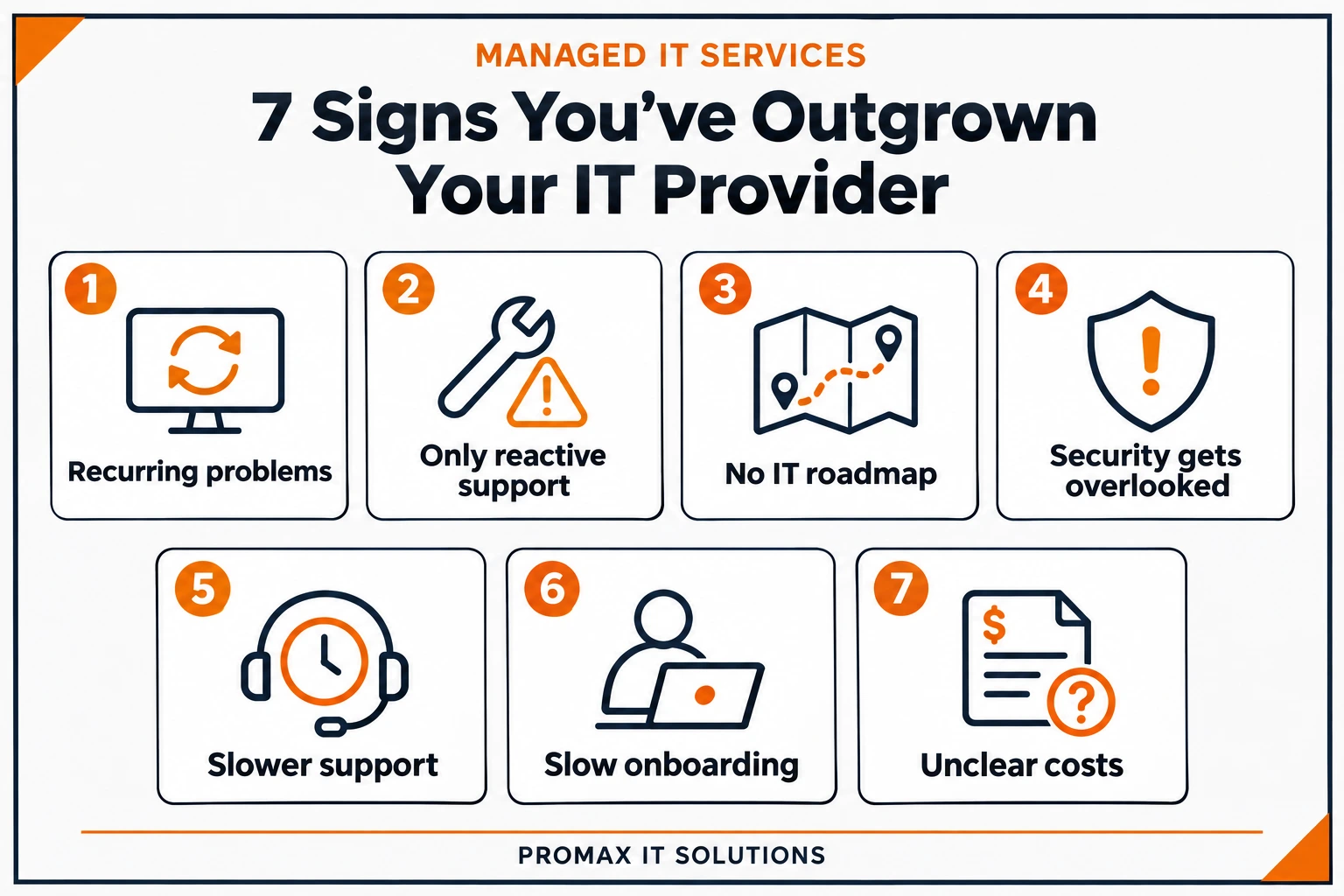
Read each sign and be honest. One on its own is normal. Several together tell you something.
1The same problems keep coming back
Slow laptops. Wi-Fi that drops in the meeting room. Outlook freezing every Monday. Your provider fixes it, closes the ticket, and two weeks later it’s back.
That’s a provider treating symptoms, not causes. Worse, your team starts working around the problem instead of reporting it. They restart the router themselves, save files to the desktop, or use personal apps. Those workarounds hide the real issue and create new security gaps.
Ask yourself- Is our ticket count going down over time, or just getting closed?
- Has anyone explained why the problem keeps happening?
- Do staff avoid calling IT because it’s slow or might cost extra?
2You only hear from them when something breaks
They set everything up, sent an invoice, and went quiet. You call when there’s a problem. They fix it. Then silence again.
That’s break-fix support, even if the contract says “managed”. Real managed IT services work the other way round. Your systems are monitored, patched and checked in the background, so most problems get caught before anyone notices. If your provider never calls you first, nobody is watching.
Ask yourself- When did our provider last contact us with something we didn’t ask about?
- Do we get a regular report on updates, backups and alerts?
- Would they know if our server or firewall stopped working tonight?
3There’s no IT plan for the next stage of your business
Try this question: how much should your business spend on IT in the next year or two? If nobody can say, and your provider has never asked, that’s a gap.
A good IT partner talks about more than tickets. They know which laptops are due for replacement, when your server is reaching end of life, whether your network can handle another 20 people, and what your Microsoft licences actually cost you. Without that, every upgrade is a rushed, surprise expense.
Many SMEs don’t need a full-time IT director to get this. A virtual IT manager or regular IT consultancy sessions give you a roadmap and a budget at a fraction of the cost.
Ask yourself- Do we have a written IT roadmap or budget for next year?
- Do we meet our provider at least once a quarter to review it?
- Are we the ones researching new tech, while they just do what we say?
4Security and compliance never come up
Here’s a simple test. When was your last security review? If nobody in the business can answer, there’s a good chance your risks have never been properly checked.
Security talk shouldn’t wait for a breach. Your provider should bring up MFA, staff phishing training, offboarding leavers, endpoint protection and whether your backups actually restore. As you take on bigger clients, they should also help you meet Cyber Essentials, UK GDPR and any sector rules you work under, such as FCA requirements.
If you’re the one bringing up compliance, and your provider just follows your lead, you’ve outgrown them. Our Cyber Essentials guide and SME IT security guide show what a good baseline looks like.
Ask yourself- Have we had a security assessment in the last 12 months?
- When did we last test a full restore from backup?
- Could we answer a client’s security questionnaire today without guessing?
5Support is getting slower, not better
Growth should mean better service. Instead, you notice the opposite. Tickets disappear into a queue. You chase twice before anyone replies. Simple jobs drag on for days.
Often the cause is a provider with too many clients and too few engineers. Another red flag is when only one person at the provider knows how your systems work. If “only Dave knows the password” sounds familiar, your business stops whenever Dave is on holiday. Good providers keep proper documentation so any engineer can help.
Watch for finger-pointing too. If your phone company blames the network, the internet provider blames your laptops, and your IT provider shrugs, nobody owns the problem. You end up project-managing your own technology.
Ask yourself- Do we have a written SLA with clear response and fix times?
- Can we get help outside office hours if something fails?
- Does our provider take charge when several suppliers are involved?
Need help outside 9 to 5? See our 24/7 IT support.
6Every new starter or office move is a big project
A new hire joins. Someone creates their email by hand, sets up a laptop by hand and forgets half the shared folders. It takes days. Opening a new office or moving premises turns into weeks of stress and calls to five different suppliers.
Modern IT doesn’t work like that. With central device management, such as Microsoft Intune, and single sign-on, a new laptop can be set up automatically and a leaver can lose access in one step. In our Operational Control case study, we enrolled every company device into central management and gave each person one secure login. Onboarding a new starter now takes minutes rather than days.
Old technology slows you down in the same way. Ageing servers and patched-up networks work until they suddenly don’t. In our Legacy to Cloud case study, a six-year-old, increasingly unreliable server was replaced with a secure Microsoft Azure setup that lets staff work from anywhere.
Ask yourself- How long does it take to get a new starter fully working?
- Are any of our servers or network kit more than five years old?
- Has our provider ever suggested a better way, or only kept the old one running?
7You can’t see what you’re paying for
You know what the monthly invoice says. But can you point to what it bought you? Fewer outages? Better security? A clear plan?
Watch for surprise “out of scope” charges, hourly fees that make staff scared to call, and bills that rise every year while service stays the same. Licences are another hidden cost. It’s common to find SMEs paying for the wrong Microsoft 365 plan, or for licences assigned to people who left months ago.
The best providers make their value easy to see. You get regular reports, a fixed monthly cost and a clear list of what’s included. If you’re left guessing, something’s wrong.
Ask yourself- Is our IT cost predictable from month to month?
- Do we get a report showing what was done and what improved?
- When did anyone last review our Microsoft licences?
The 2-minute self-check
Tick every statement that’s true for your business. Three or more ticks means it’s time to look at your options.
- We chase our provider more than once before anyone actually replies.
- The same IT problems have come back several times this year.
- We don’t have an IT roadmap or budget for next year.
- Nobody can tell me when our last security review happened.
- We’ve never tested restoring our backups.
- Setting up a new starter takes more than a day.
- Only one person at our provider really knows our systems.
- We pay more for IT each year, but the service stays the same.
- IT problems take up too much of my week.
Rough patch or real mismatch?
Every provider has a bad month. A key engineer leaves, or a big outage stretches the team. That doesn’t always mean it’s time to move. Here’s how to tell the difference.
| Rough patch | You’ve outgrown them |
|---|---|
| Linked to one event, like a staff change or major outage | A pattern that’s lasted months |
| They admit it and share a plan to fix it | Vague answers or “that’s just how it is” |
| Service improves within a few weeks | Nothing changes after you raise concerns |
| They still bring ideas and plans | Every conversation is about tickets |
Tip: Raise your concerns in writing and give your provider 60 to 90 days to improve. If nothing changes in that time, you have your answer.
What good IT support looks like
Before you start looking, know what you’re comparing against. Here’s how basic IT support differs from a proper managed IT partner.
| Area | Basic IT support | Managed IT partner |
|---|---|---|
| Approach | Fixes things after they break | Monitors and prevents problems |
| Planning | None | Roadmap, budget and quarterly reviews |
| Security | Antivirus and a firewall | MFA, endpoint protection, tested backup, staff training |
| Compliance | “We can do that” | Help with Cyber Essentials and UK GDPR |
| Onboarding | Manual, takes days | Automated, ready on day one |
| Support hours | Office hours only | 24/7 with clear SLAs |
| Billing | Hourly and unpredictable | Fixed monthly fee, clear scope |
| Knowledge | In one engineer’s head | Documented and shared with you |
Questions to ask a new IT provider
- Do you work with businesses our size? You want to be a normal client for them, not the biggest or smallest.
- What’s in your SLA? Look for clear response and fix times, not “as soon as possible”.
- How do you handle security? It should be built into the service, not sold as an extra.
- Can you show us a sample roadmap? This proves they plan, not just fix.
- Who owns our admin accounts? The answer should be “you do”.
- Are you a Microsoft partner? Most SMEs run on Microsoft 365, so this matters.
How to switch IT providers without downtime
The fear of a messy handover keeps many businesses stuck with a provider they’ve outgrown. Done properly, switching should be close to invisible for your staff. Here’s the order we follow.
- Find your notice period and any exit terms
- Note what the outgoing provider must hand over
- Make sure your business holds admin access to Microsoft 365, your domain name, firewall and backups
- Never let any provider be the only one with the passwords
- List every device, user, licence, app and supplier
- Collect network diagrams and passwords in one secure place
- Agree a handover date and a migration plan
- Test new systems before switching off the old ones
- Share the new helpdesk number and email
- Explain what changes for them, which is usually very little
Timing matters too. If you have a busy season, plan around it. In our Race Against Time case study, we moved a UK accountancy firm’s database to Azure ahead of the January Self-Assessment deadline, with zero hours of downtime.
Should you hire in-house IT instead?
For most SMEs, a single in-house IT person isn’t the answer. One person can’t cover every skill, every hour or every holiday. And a full in-house team is a big salary bill.
That’s why many growing firms choose IT outsourcing, or a mix of both. Your in-house person handles day-to-day desk support, while a managed provider covers security, out-of-hours support, projects and planning. You get depth without the cost of a full department.
Unsure what fits? Our IT services range from full outsourcing to support alongside your own team.
Book a free 30-minute call with our London team. We’ll look at your current setup and give you an honest, plain-English view of what to keep, what to fix and what to plan for. No hard sell.
Book a free consultation Contact usFrequently asked questions
How do I know if I’ve outgrown my IT provider?
Look for a pattern, not one bad day. Repeat problems, slow replies, no IT plan, no talk about security and costs you can’t explain are the clearest signs. If three or more apply and nothing improves after you raise it, you’ve likely outgrown them.
Will switching IT providers cause downtime?
It shouldn’t. Nearly all of the handover is done behind the scenes. A good provider audits your setup, secures admin access and tests new systems before the old ones are switched off. Your staff should only notice a new helpdesk number.
How long does it take to change IT support provider?
Most SME handovers usually take two to six weeks, depending on your notice period and how complex your systems are. The audit and documentation stage takes the most time. Planning early avoids a rushed move.
What should be included in a managed IT contract?
Look for 24/7 monitoring, patching, helpdesk support, security tools, managed backup, clear SLAs and regular reviews. Check what counts as “out of scope” so you aren’t hit with surprise charges later.
Is it cheaper to have in-house IT or an IT provider?
For most businesses under 250 staff, a managed IT provider usually costs less than building a full in-house team. You get a wider range of skills, out-of-hours cover and security expertise for a fixed monthly fee. Many firms combine one in-house person with a provider.
Leave a Reply