
 Close
Close


When I talk to firms about rolling out Microsoft 365 Copilot, the first question is almost always the same. Is it safe? And what people usually mean is, will Microsoft end up seeing our data. It is a fair question, but it is rarely the one that matters. The bigger risk is sitting much closer to home. It is what your own staff can already see.
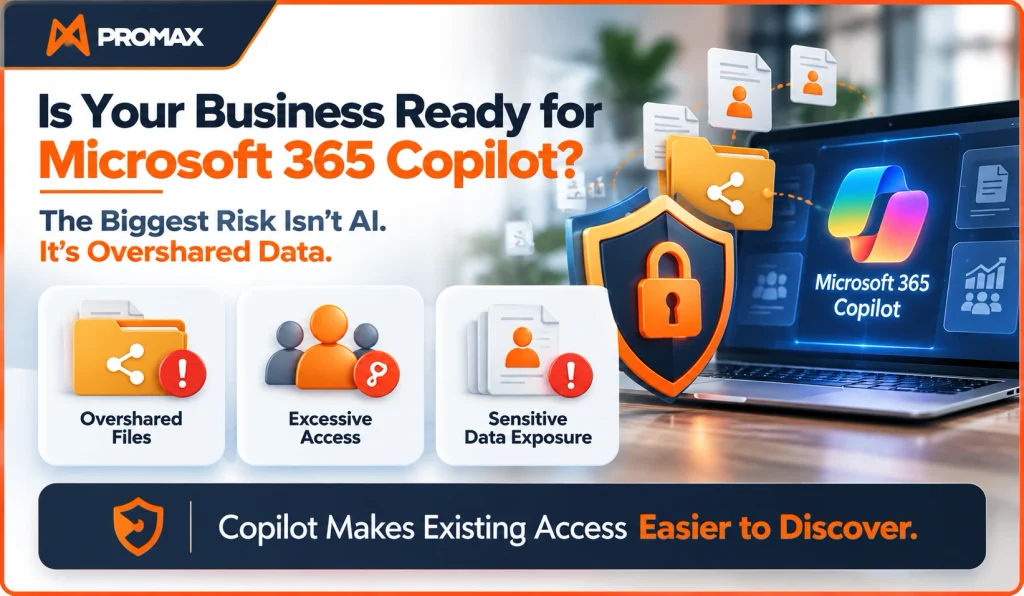
Copilot does not give anyone new access. It only surfaces what a person already has permission to open. That sounds reassuring, right up until you look at what those permissions have quietly grown into. In a Microsoft 365 environment that has been running for five or ten years, most people can open a great deal more than anyone ever intended. I have lost count of the rollouts where the technology was the easy part. The hard part was what we found underneath it.
How access quietly gets out of hand
Nobody sets out to overshare. It happens slowly, one reasonable shortcut at a time.
A client file goes out as “anyone with the link” because it is faster than typing names. A new joiner inherits access to old project sites they will never touch. Board papers land in a Teams channel that half the company joined for one meeting and never left. Every one of those decisions made sense on the day. The problem is that nobody ever goes back to undo them.
Last year I found a restructure folder that had been open to the entire company for three years. People’s names in it, genuinely sensitive, and completely forgotten. Nobody had opened it in all that time. It was just sitting there, waiting.
Before Copilot, files like that stayed buried. You had to know they existed and go looking, and almost nobody did. Now someone can simply ask Copilot to “summarise recent salary discussions”, and it will happily oblige. Nobody hacked anything. The access was there the whole time. Copilot just made it easy to find.
Why regulated firms should pay closest attention
If you run an FCA-regulated firm, a law firm or an accountancy practice, client confidentiality is not a nice-to-have. It is a legal duty, and the bar is high.
Under UK GDPR, staff seeing personal data they have no business seeing can count as a breach, even if nothing ever leaves the building. And if a regulator does come knocking, they will not care whether AI was involved. They will want to know who had access to what, and why. In plain terms.
Most firms could not answer that today, and the data backs it up. The government’s Cyber Security Breaches Survey 2025/26 found that only 24% of businesses using or considering AI have any security practices in place for it. That means roughly three in four are running AI with no specific controls at all.
The UK Business Data Survey 2026 is starker still. Just 5% of AI-using businesses have a formal written AI policy, against 56% of large firms. The gap is not surprising. Big firms have someone whose actual job this is. Smaller firms usually have nobody, and the work falls between the cracks.
What to do before you switch it on
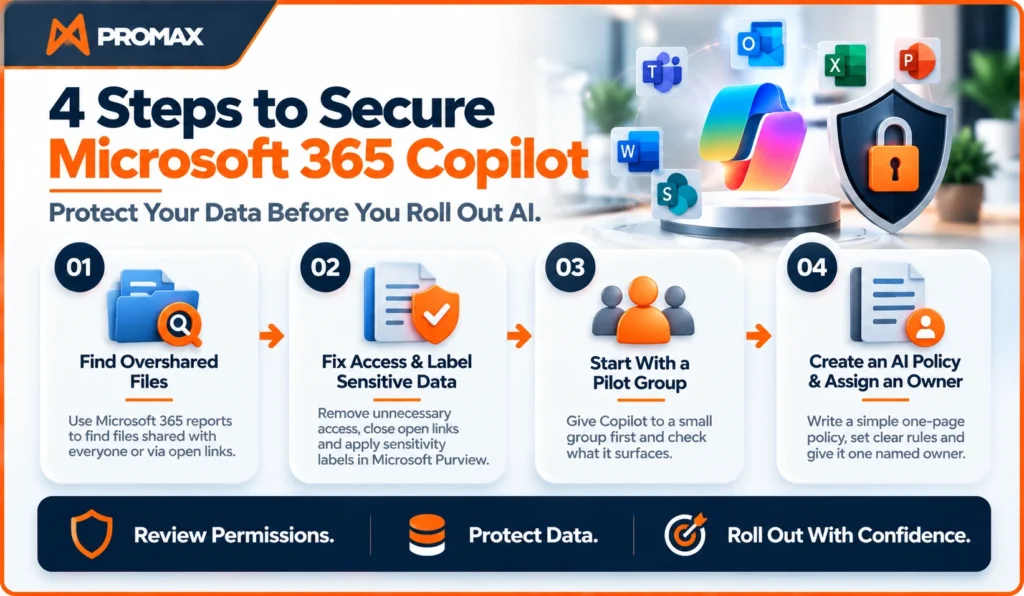
Here is the reassuring part. You do not need a perfect environment before you roll out Copilot. You just need one where the obvious problems are gone. This is roughly the order I would work in.
1. Find the oversharing first
Microsoft 365 can tell you which sites and files are shared with everyone or through open links. Run those reports before you do anything else, and start with the areas that would hurt the most if they leaked internally. HR, finance, legal and board content.
2. Fix the worst of it, then label what is sensitive
Once you can see where the problems are, deal with the biggest ones first. Take company-wide access off sensitive sites, expire old open links, and clear out group memberships nobody needs any more. Then add sensitivity labels in Microsoft Purview. Labels mark confidential material so it stays protected wherever it travels, and Copilot respects them. Most firms skip this step, and it is the one that matters most.
3. Start with a pilot group
Do not hand Copilot to everyone on day one. Give it to a small group first and watch what it surfaces. If it pulls up something it should not, you have found the gap while it is still cheap and quiet to fix, rather than in front of the whole company.
4. Write one page of AI policy, with one named owner
Keep it to a single page. It should say which tools are approved, what data can go into them, and who to ask when someone is not sure. Give it one named owner, because in a 50-person firm “shared responsibility” almost always means nobody is responsible. And make sure it covers the tools you did not approve. The NCSC has warned about staff quietly using unapproved AI, and that risk is very real. If your approved option is clumsy, people will simply paste client data into whatever is easier.
One more thing worth saying. This is not a one-off tidy-up. Permissions drift again the moment people start sharing and joining and leaving, which is to say almost immediately. Whatever you clean up before launch needs a light-touch review every few months to stay clean.
One question for boards
If you run a firm or sit on a board, there is a single question worth putting to your IT lead or provider before anyone celebrates the rollout:
Before we turned on Copilot, what did we find, and what did we fix?
A clear, specific answer means the work has actually been done. A vague one means the review has not happened yet, and you would want to know that now rather than later.
Faster people, clearer gaps
Copilot will genuinely make your people faster. I have seen it. It will also show you, in black and white, exactly how loose your permissions have become. You get to learn that one of two ways. On your own terms, before rollout, or afterwards, when someone types the wrong question and gets a very honest answer.
Check your permissions before you switch Copilot on. The review is quick. The discovery isn’t.
If you are planning a Copilot rollout and want a second opinion on readiness, I am happy to compare notes. You can also book a 30-minute consultation with the team at Promax.
Leave a Reply